

Running Route Planner
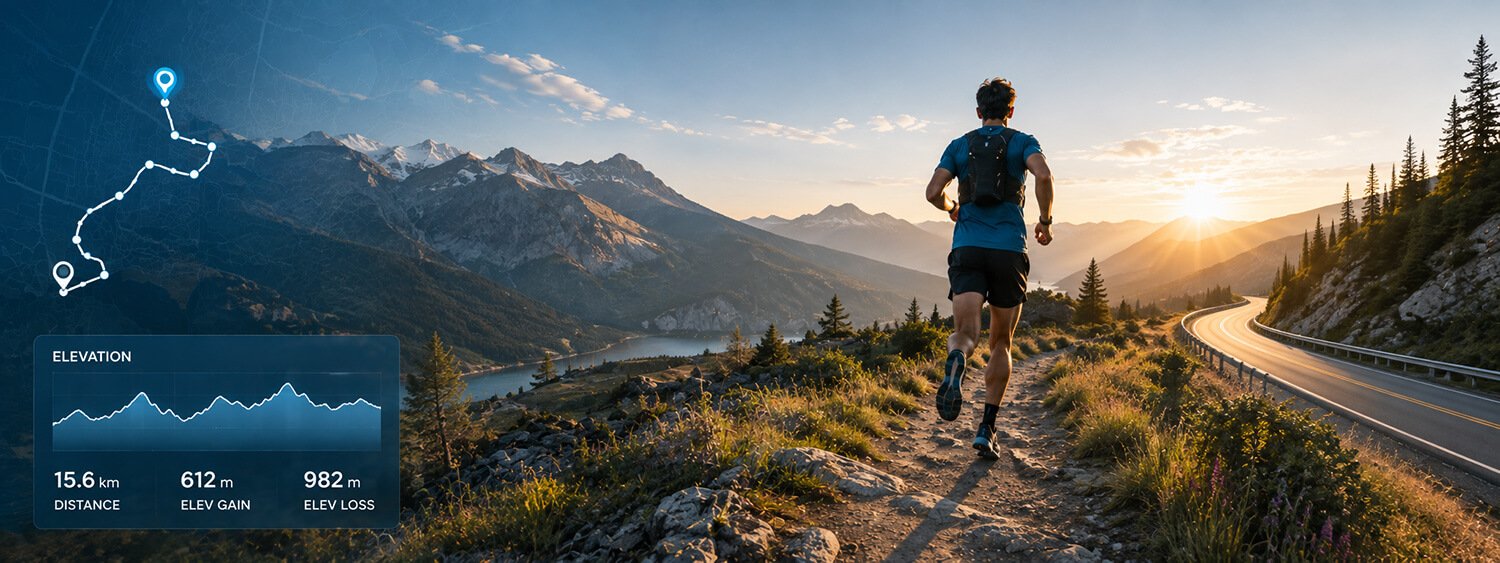
Plan your next run with Map My Distance’s online running route planner. Create a running route directly on the map, calculate your distance as you go, check the elevation profile and adjust your route to find the right distance for your training.
Whether you’re planning an easy 5K around your neighbourhood, a weekend long run, a new trail route or preparing for a marathon, Map My Distance makes it easy to map your running route before you head out.
Everything You Need to Plan Better Runs
Map My Distance helps you plan routes with accurate data and powerful features designed for runners.
Map Your Route
Create your running route by adding points on the interactive map. Go anywhere.
Calculate Distance
See your total distance update in real time as you build your route. Km or miles.
Follow Roads & Paths
Snap to roads and paths for more accurate and realistic running routes.
Check Elevation
View elevation profiles to understand climbs, descents and overall difficulty.
Save Your Routes
Save your favorite running routes to your account and access them anytime.
Share & Collaborate
Share routes with friends or plan together using our collaboration tools.
Free To Use
Map My Distance is free to use, and easily create a free profile to save your routes
Works Worldwide
Plan routes anywhere in the world with global mapping coverage.
How to Plan a Running Route
It only takes a few clicks to map your next run.
Choose Your Start
Find your starting point on the map.
Add Points
Click along roads or paths to build your route.
Check Distance & Elevation
See live distance and review the elevation profile.
Save & Go
Save your route, share it or head out for your run.
Mobility, Strength & Injury Prevention
Erase muscle tightness, knee, and hip pain with targeted mobility.
Dynamic Runner offers daily stretching videos, strength training, and injury specific programming all designed to correct muscle imbalance common to runners. Easy to follow, track your progress over time and experience results. Try 7 days for FREE!
Plan a Running Route Online
Knowing where you’re going before you start can make a run much easier to plan.
With the Map My Distance running route planner, you can create a route by placing points directly onto the interactive map. As you build your route, Map My Distance calculates the total distance so you can adjust your run until it matches what you have planned.
You can use the running route mapper for short everyday runs, longer training sessions, race preparation, trail runs or simply exploring somewhere new.
Instead of estimating how far a route might be, you can map your run in advance and know the approximate distance before you leave.
Map Your Running Route
Creating a running route is simple with Map My Distance.
Choose where you want your run to begin and start adding points along the roads, paths or trails you want to follow. Your route appears on the map as you build it, allowing you to see exactly where your run will take you.
If you want to change direction, make the route longer or shorten your run, simply adjust the route until you’re happy with it.
This makes Map My Distance useful for planning:
- Everyday running routes
- 5K and 10K training runs
- Half marathon training
- Marathon long runs
- Interval and tempo routes
- Trail running routes
- Running club routes
- Race and event routes
- New routes while travelling
You can plan routes almost anywhere in the world, making it just as useful for your regular neighbourhood loop as it is for finding somewhere to run while you’re away from home.
Calculate Your Running Distance
One of the most important parts of planning a running route is knowing how far you’re going to run.
Map My Distance automatically calculates your running route distance while you create your route. As you add new sections to the map, the total distance updates so you can quickly see how long your planned run will be.
This is particularly helpful when you’re following a training plan.
If your schedule calls for an 8 km easy run, a 10-mile long run or a specific race-distance workout, you can adjust your route until you reach the distance you need rather than guessing once you’re already out running.
You can also plan routes using the measurement units that make the most sense for you, whether you prefer kilometres or miles.
Follow Roads and Paths
A straight line between two points isn’t particularly useful when you’re trying to plan a real running route.
Map My Distance includes route snapping to help your planned route follow available roads and paths instead of simply drawing straight lines across the map.
This makes it easier to create more realistic running routes through neighbourhoods, cities, parks and other areas with mapped roads and paths.
You remain in control of where your route goes, so you can continue adding and adjusting points as you plan your run.
Check the Elevation of Your Running Route
Distance isn’t the only thing that determines how difficult a run will be.
A flat 10 km route can feel very different from a 10 km route filled with climbs.
Map My Distance lets you view the elevation profile of your planned route so you can understand where the climbs and descents occur before you start running.
Checking running route elevation can be particularly useful when you’re:
- Preparing for a hilly race
- Planning a marathon or half marathon training route
- Looking for flatter routes for an easy or recovery run
- Adding hill training to your programme
- Planning longer trail runs
- Comparing different possible routes
Looking at both distance and elevation gives you a much better idea of what your run is likely to involve.
Plan Routes for Your Running Training
A running route planner can be useful for much more than simply figuring out where to go.
You can use Map My Distance to create routes that match different parts of your training.
For an easy run, you might choose a flatter route close to home.
For a long run, you can create a larger loop or an out-and-back route that reaches your target distance.
If you’re preparing for a race with significant elevation, you can deliberately look for a route with more climbing.
And if you’re working towards a specific race distance, you can create routes around distances such as 5K, 10K, 21.1 km for a half marathon or longer marathon training distances.
Once you’ve planned your route distance, you can also use the Map My Distance Running Pace Calculator to calculate the pace or finishing time for your planned run.
Save Your Favourite Running Routes
Found a route you’d like to run again?
Instead of recreating it every time, Map My Distance allows you to save routes to your account so you can come back to them later.
Saving routes is useful if you have several regular training runs or want to create a collection of different routes for different distances.
You might have a short recovery loop, a regular 5K route, a hilly route for harder sessions and several long-run options depending on your training schedule.
Over time, Map My Distance can become a useful library of your favourite places to run.
Share Running Routes With Friends
Running doesn’t always have to be a solo activity.
Once you’ve created a route, you can share it with other runners so everyone can see where the group will be going before the run starts.
This is useful for running clubs, training partners, social running groups and friends organising a weekend run.
Map My Distance also supports collaborative route planning, allowing routes to be planned together rather than passing screenshots or descriptions back and forth.
If someone knows a better road, wants to avoid a particular section or has an idea for extending the run, you can work together on the route.
Add Useful Points to Your Running Route
For longer runs and adventures, distance isn’t the only thing you may want to plan.
Points of interest can help you mark useful locations along or near your route, such as meeting points, landmarks or other places that are worth remembering.
This can be particularly useful when planning unfamiliar routes, group runs or longer-distance adventures where knowing what’s along the route matters.
Find New Places to Run
Running the same route every week can eventually become repetitive.
Using a running route planner gives you an easy way to experiment with different roads, paths and areas before committing to them.
Try extending one of your existing routes, creating a completely new loop or exploring an area you’ve never run through before.
If you’re travelling, you can also use Map My Distance to plan a running route around your destination before you arrive, giving you an idea of both the route distance and elevation in advance.
Mobility, Strength & Injury Prevention
Erase muscle tightness, knee, and hip pain with targeted mobility.
Dynamic Runner offers daily stretching videos, strength training, and injury specific programming all designed to correct muscle imbalance common to runners. Easy to follow, track your progress over time and experience results. Try 7 days for FREE!
Why Use Map My Distance?
Knowing your route before you run helps you train with confidence. Map My Distance combines distance, elevation, route snapping and easy sharing so you can focus on enjoying your run.
- Avoid guesswork and plan the exact distance you need.
- Discover new routes in your area or while traveling.
- Understand the climbs and descents before you start.
- Save time by reusing and sharing your favourite routes.
- Plan solo or collaborate with friends and running groups.

Running Route Planner FAQs
Some frequently asked questions on running route planners.
Explore More
More tools and guides to help you train smarter.
Map Your Route
Start mapping out your route on Map My Distance.
Pace Calculator
Calculate your pace and finish times for any distance.
About MMD
Learn more about Map My Distance and what we offer.
Our Blog
Explore route planning tips, guides and running advice.