

Cycling Route Planner
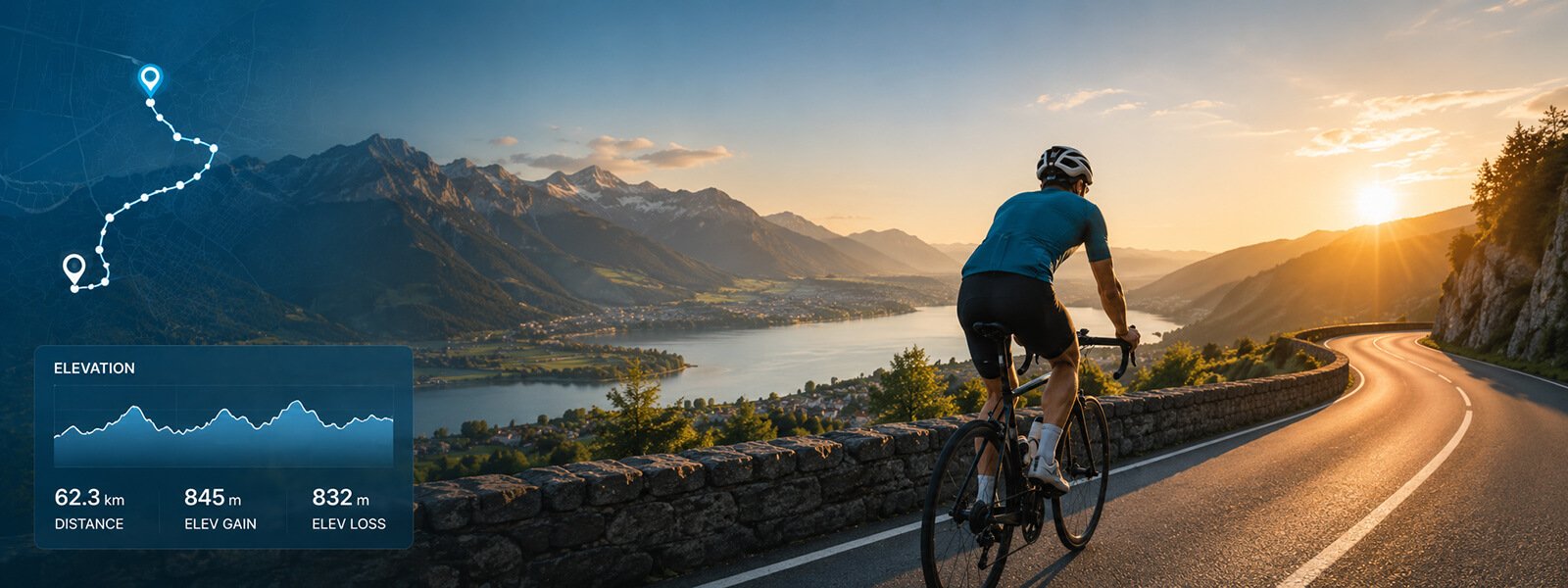
Plan your next ride with Map My Distance’s online cycling route planner. Create a cycling route directly on the map, calculate your distance as you go, check the elevation profile and adjust your route to plan the perfect ride.
Whether you’re planning a short ride around your neighbourhood, a weekend cycle, a challenging training route or exploring somewhere new, Map My Distance makes it easy to map your cycling route before you head out.
Everything You Need to Plan Better Rides
Map My Distance gives cyclists the tools to create, measure and explore routes before getting on the bike.
Map Your Route
Create your cycling route by adding points on the interactive map. Go anywhere.
Calculate Distance
See your total cycling distance update as you build your route. Km or miles.
Follow Roads & Paths
Snap your route to available roads and paths for more realistic cycling routes.
Check Elevation
View the elevation profile to understand climbs, descents and route difficulty.
Save Your Routes
Save your favorite cycling routes to your account and access them anytime.
Share & Collaborate
Share bike routes with friends or plan your next group ride together.
Free To Use
Plan and measure cycling routes for free and create an account to save your rides.
Works Worldwide
Plan cycling routes around the world with global mapping coverage.
How to Plan a Cycling Route
It only takes a few clicks to map your next bike ride.
Choose Your Start
Find where you want your bike ride to begin on the map.
Add Points
Add points along roads / paths you want your cycling route to follow.
Check Distance & Elevation
See your cycling distance update and review the elevation profile.
Save & Go
Save your cycling route, share it with friends or get out and ride.
Mobility and Strength Training for Cyclists, Try Free
The secret to improving speed, strength and endurance (20 min/day).
✅ Stabilize supporting muscles
✅ Strengthen & activate hamstrings, glutes, and hip flexors
✅ Improve range of motion for increased efficiency
✅ Fix pelvic instability
Stop training through the pain – Try 7 Days FREE!
Plan a Cycling Route Online
Planning your cycling route before you ride can help you choose the right distance, understand the terrain and explore new roads and areas with more confidence.
With the Map My Distance cycling route planner, you can create your route directly on an interactive map. Add points along the roads and paths you want to follow and watch your total cycling distance update as the route grows.
You can use the bike route planner for quick local rides, longer weekend cycles, training sessions, group rides or simply exploring somewhere new.
Instead of guessing how far your ride might be, you can map your cycling route in advance and get a much clearer idea of the distance and elevation before you get on your bike.
Map Your Cycling Route
Creating a cycling route is simple with Map My Distance.
Choose where you want your ride to begin and add points along the roads and paths you want your route to follow. Your cycling route appears on the map as you build it, allowing you to see exactly where you’re planning to ride.
Want to ride further? Extend the route. Need something shorter? Adjust your points until the distance works for you.
Map My Distance can be useful for planning:
- Everyday bike rides
- Road cycling routes
- Training rides
- Long weekend rides
- Hilly cycling routes
- Group rides
- Cycling event routes
- Routes while travelling
- New areas to explore by bike
You can plan cycling routes around the world, making the route planner useful whether you’re mapping a familiar ride from home or planning a bike ride somewhere you’ve never visited before.
Calculate Your Cycling Distance
Knowing how far you’re going to ride is one of the most useful parts of planning a cycling route.
Map My Distance automatically calculates the distance of your cycling route as you create it. Each time you add or adjust part of the route, your total distance updates so you can see how long the planned ride will be.
This is particularly useful when you’re trying to hit a specific training distance.
If you want a quick 20 km ride, a 50 km training route or a longer 100 km weekend ride, you can continue adjusting your route until you reach the distance you’re looking for.
Routes can be planned using kilometres or miles, so you can use whichever measurement you prefer.
Follow Roads and Paths
Real cycling routes rarely travel in straight lines between two points.
Map My Distance includes route snapping to help your cycling route follow available roads and paths rather than simply drawing straight lines across the map.
This makes it much easier to create realistic bike routes through towns, cities, countryside and other areas with mapped roads and paths.
You’re still in control of where the route goes. Add, remove or adjust points to change the direction of your ride and create a route that works for you.
One important wording choice: I wouldn’t say MMD determines whether a road is safe or suitable for cycling unless your routing data genuinely supports that. Your current site says Snap to Roads follows roads and paths where Mapbox routing coverage is available, so I’d keep the claim to that.
Check the Elevation of Your Cycling Route
Distance only tells you part of the story when planning a bike ride.
A relatively short ride with several major climbs can be considerably harder than a longer ride over flatter terrain.
Map My Distance lets you view the elevation profile of your planned cycling route, helping you understand where climbs and descents occur before you start riding.
Checking cycling route elevation can be useful when you’re:
- Planning a hilly training ride
- Looking for a flatter cycling route
- Preparing for a cycling event
- Planning a longer weekend ride
- Looking for routes with more climbing
- Comparing two possible bike routes
- Exploring unfamiliar terrain
Looking at both cycling distance and elevation gives you a much better idea of what to expect from your planned ride.
Your current site correctly distinguishes the free elevation profile from detailed gain/loss/grade statistics available on Pro, so I’d maintain that distinction wherever you describe those features.
Plan Routes for Your Cycling Training
A cycling route planner is especially useful when you’re training towards a particular goal.
Different rides can call for very different routes.
For an easier recovery ride, you might want a shorter and flatter route. For an endurance session, you may want a longer route that allows you to spend several hours on the bike.
If you’re training for a hilly event, you can use the elevation profile to create a route with more climbing.
You can also plan routes around specific target distances, whether you’re aiming for a quick 20 km spin, a 50 km training ride, a 100 km century-style challenge or something considerably longer.
Planning the route beforehand makes it easier to match your ride to what you want to achieve that day.
Save Your Favourite Cycling Routes
Found a great cycling route?
Save it to your Map My Distance account instead of having to recreate it the next time you want to ride.
You can build up a collection of favourite bike routes for different distances, terrain and types of rides.
For example, you might save a short weekday route, a flatter recovery ride, a hilly training route and a longer weekend route.
Having several routes ready to go makes it easier to choose a ride based on how much time you have and what kind of cycling you feel like doing.
Your free accounts currently support up to 20 saved routes, while Pro provides unlimited saved routes, according to your live homepage.
Share Cycling Routes With Friends
Cycling is often better with company.
Map My Distance lets you share planned cycling routes with friends so everyone can see where the group is planning to ride before you set off.
This is useful for cycling clubs, training partners, social rides and groups planning longer weekend adventures.
Map My Distance also supports collaborative route planning, so you can work on a route together.
If someone knows a better road, wants to extend the ride or has another idea for the route, collaborators can help edit the plan rather than sending screenshots and route suggestions back and forth. Your existing collaboration content already positions this feature for group cycling as well as running and hiking.
Add Useful Points to Your Cycling Route
Longer bike rides often involve more planning than simply deciding which roads to follow.
Points of interest can help you mark useful locations along or near your cycling route, such as meeting points, landmarks or other places you want to remember.
This can be particularly helpful when you’re planning longer rides, group cycles or routes through unfamiliar areas.
Having important locations marked directly on your route makes it easier to keep useful information together while planning your ride.
Find New Places to Ride
One of the best things about cycling is how much ground you can cover.
But riding the same roads every weekend can eventually get repetitive.
A cycling route mapper makes it easy to experiment with different roads and areas before heading out. Extend one of your usual routes, create a completely new loop or explore somewhere you’ve never ridden before.
Map My Distance can also be useful when travelling. You can map a bike ride around your destination before you arrive and check both the distance and elevation ahead of time.
Whether you’re exploring close to home or somewhere completely new, planning your route beforehand can help you get more from your ride.
Mobility and Strength Training for Cyclists, Try Free
The secret to improving speed, strength and endurance (20 min/day).
✅ Stabilize supporting muscles
✅ Strengthen & activate hamstrings, glutes, and hip flexors
✅ Improve range of motion for increased efficiency
✅ Fix pelvic instability
Stop training through the pain – Try 7 Days FREE!
Why Use Map My Distance?
Knowing where you’re going, how far you’re riding and what the terrain looks like can make planning your next cycle much easier.
Map My Distance combines route mapping, distance calculation, elevation profiles, route snapping, saving and sharing in one online cycling route planner.
- Plan the cycling distance you want before you ride.
- Understand climbs and descents along your route.
- Discover new roads and places to explore by bike.
- Save favourite routes and use them again.
- Share routes or plan group rides with friends.
Cycling Route Planner FAQs
Some frequently asked questions on cycling route planners.
Explore More
More tools and guides to help you train smarter.
Map Your Route
Start mapping out your cycling route on Map My Distance.
Pace Calculator
Calculate your pace and finish times for any distance.
Running Planner
Plan running routes and calculate distance and elevation
Our Blog
Explore route planning tips, guides and running advice.